What a Financial System Built for Event Planners Actually Looks Like

Part 10 of 10 in the Event Planner's Financial Survival Guide
We've spent nine posts walking through the specific financial frustrations that come with running an event planning business: the budget that never quite captures reality, the vendor payment chase, the invoice disputes, the sales tax confusion, the post-event scramble, the accounting tools that don't quite fit. Each one of these is a real problem that real planners deal with, usually by building workarounds that consume more time than the problem itself. It's worth asking the obvious question: what would it look like if someone designed a system specifically for this? Not a general accounting tool adapted with some clever workarounds. Not a project management platform with a few financial fields tacked on. A system designed from the ground up around how event planners actually work — the budgets, the vendors, the clients, the invoices, the taxes, all in one connected place. Here's what that looks like.
A Budget That Is the Invoice
In a well-designed system, your event budget and your client invoice are the same document. You build the budget once — line items organized into event categories, vendor cost entered, retail markup applied, taxable status set — and that budget becomes the basis for every client-facing document you produce. When you're ready to invoice, you're not re-entering anything. You're generating a document that reflects the budget you've already built and the client has already approved. Deposits are tracked against that budget. Line items can be marked taxable or non-taxable at the item level. The invoice balance reflects what's been paid and what's outstanding. That connection — budget to invoice, directly, without re-keying — is the foundation that makes everything else faster.
Vendor Payments That Belong to Budget Lines
Every vendor payment should be traceable to a line item in your event budget. When you pay a deposit on florals, that payment should reduce the outstanding balance on the florals line item. When you pay the final balance, it should close that line. This means your budget is always current. At any point in the planning process, you can see exactly what's been paid, what's outstanding, and how your total outflows are tracking against your budget. The "have I paid everyone?" question has an actual answer, not a manual reconciliation exercise.
Sales Tax That Calculates Itself
A system built for event planners should handle the taxable/non-taxable distinction at the line-item level, apply the right rate for your state, and calculate the tax on the taxable portion of each invoice automatically. You shouldn't need to pull out a calculator at invoice time, or remember which line items are taxable under your state's rules, or reconcile what you collected against what you owe at year-end by hand. The system should track it. The total tax collected should be reportable at any time. For planners operating in multiple states, or dealing with the specific complexities of how event services are taxed (materials vs. labor, catering vs. coordination, venue-provided services vs. planner-provided), having a system that understands those rules changes the tax compliance experience entirely.
Invoicing That Handles the Full Payment Lifecycle
Real event invoicing includes deposits, partial payments, milestone billing, credits, adjustments. An event finance system should handle all of it natively — not as workarounds, but as first-class features. That means: sending an invoice for a deposit at signing, applying that deposit automatically when the final invoice is generated, tracking the balance, recording payments as they come in, and producing a clear accounting of what was paid and when. No manual math. No reconciling invoice totals against payment records in separate systems.
Records That Document Themselves
When a client questions a charge, your defense is documentation. In a purpose-built system, the documentation builds itself as you work: budget approvals, change orders, payment records, invoice history. You're not piecing together an email trail at 11pm before a meeting. It's already there. The same goes for vendor-side: payment history, outstanding balances, and who you owe are all visible without hunting through bank statements.
Integrated, Not Isolated
The goal is one source of truth for each event's financial picture. Your budget, your vendor payments, your client invoices, your tax calculations — all connected, all updating together, no manual synchronization required. If you use QuickBooks for bookkeeping (and many planners do, because their accountants need it), the right architecture is a dedicated event finance platform for your operations, with a QuickBooks integration that syncs the completed financial data. Each tool does what it's best at. You're not double-entering anything.
What This Actually Buys You
A purpose-built system doesn't just make individual tasks easier. It changes how you spend your time. The hours you're currently spending reconciling spreadsheets, re-entering data, manually calculating tax, and building invoices from scratch — those are hours that become available for actual event work, business development, or just not working on a Saturday night. The planners running the most financially organized businesses aren't necessarily working harder than anyone else. They're using systems that let them stop managing their tools and start using them.
Introducing Event Revenue Pro
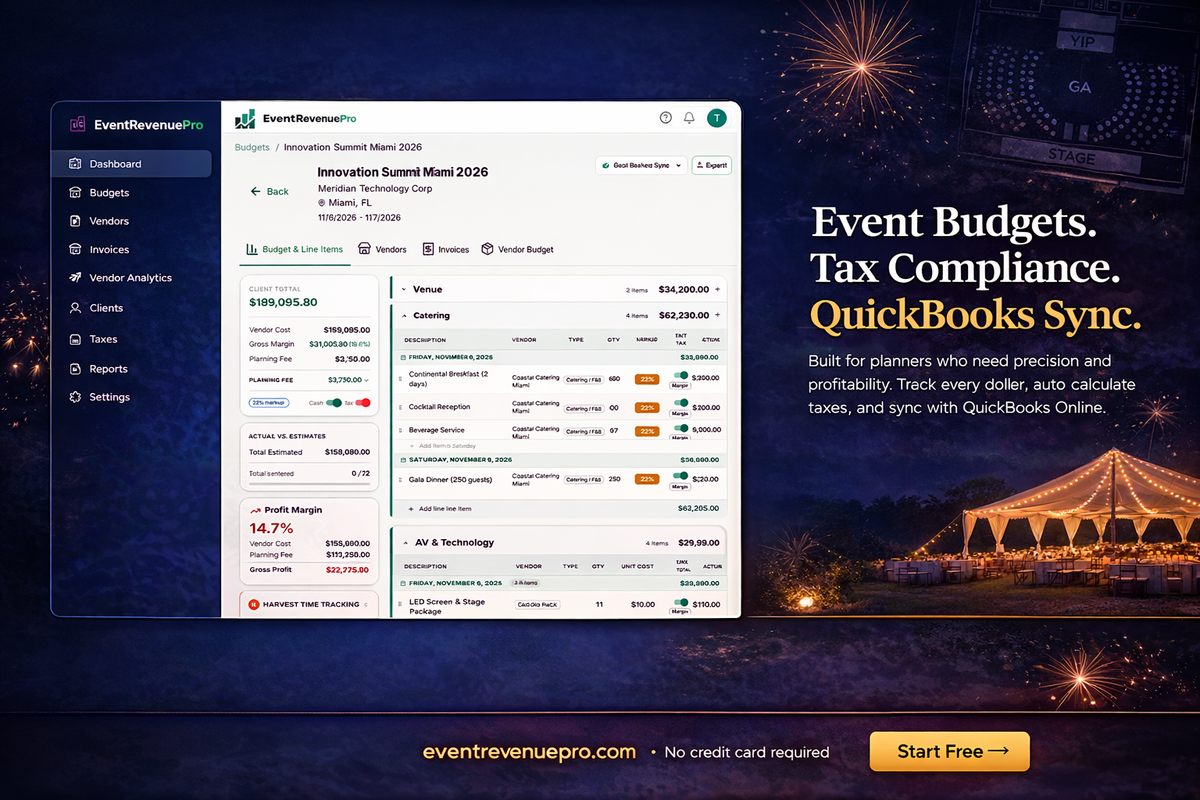
That's what we built. Event Revenue Pro is a financial management platform designed specifically for event planners, DMCs, and event agencies. It covers the full financial lifecycle of an event: budgeting, vendor payment tracking, client invoicing, sales tax calculation, and post-event reconciliation — in one connected system. You can build a budget with your vendor costs and retail markup, generate a professional client invoice directly from that budget, track vendor payments against budget lines, and calculate sales tax automatically. It integrates with QuickBooks so your accountant gets what they need without you double-entering anything. If you've read through this series and found yourself nodding at the problems, this is the tool we built to solve them. Learn more and get started at eventrevenuepro.com →
This is the final post in the Event Planner's Financial Survival Guide. If you missed any of the earlier posts, start from the beginning with The Spreadsheet That Broke Me.