QuickBooks Wasn't Built for Event Planners


Part 8 of 10 in the Event Planner's Financial Survival Guide
At some point in the life of nearly every growing event planning business, someone — an accountant, a business-minded friend, a well-meaning article — suggests QuickBooks. And honestly, it makes sense to try it. QuickBooks is the most widely used small business accounting software in the country. It does real things. It connects to your bank. Your accountant knows how to use it. If you're going to get serious about your business finances, this seems like the obvious next step. So you set it up. Or you pay someone to set it up for you. And for a while, it works fine — for tracking overall income and expenses, for generating reports your accountant needs, for the bookkeeping side of things. But then you try to use it to actually manage an event, and something doesn't fit.
It Thinks in Transactions, Not Events
QuickBooks is built around a fundamentally different mental model than event management. It's designed to record what happened financially — money in, money out, categorized appropriately. That's bookkeeping, and QuickBooks does it well. Event planning works differently. You're building a forward-looking budget that represents what you're planning to spend and what you're going to charge the client. You're tracking dozens of vendor relationships, each with their own payment milestones. You're managing a multi-phase client billing relationship. You're maintaining a real-time picture of event profitability as the numbers evolve. QuickBooks records history. Event planners need to manage the future.
The Budget Gap
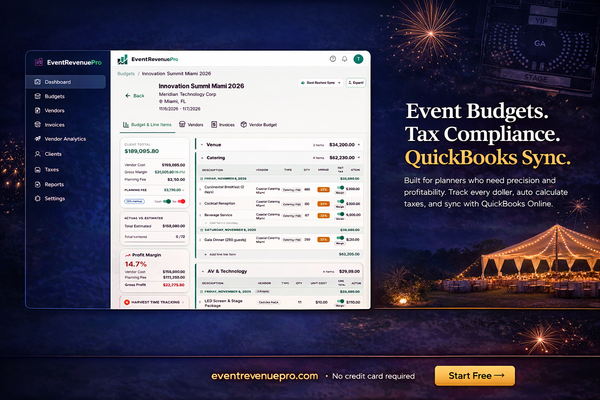
QuickBooks doesn't have a native concept of an event budget the way event planners think about one. You can use classes or projects to group transactions, and you can create estimates. But you can't build a working budget with vendor cost vs. client price side by side, with retail markup calculated automatically, organized into event categories, and connected to your vendor payment records. Planners who try to use QuickBooks for budgeting typically end up maintaining a separate spreadsheet for the budget and using QuickBooks for the bookkeeping. Which means they're back to the two-system problem — keeping two sets of records in sync, manually, with all the error risk that entails.
Invoicing That Doesn't Know What You Do
QuickBooks invoicing is designed for businesses that sell defined products or services at set prices. You create items, you add them to invoices, you send the invoice. Event invoicing doesn't work that way. Your invoice is a reflection of a budget that has been evolving for months, with dozens of line items, markup applied at the line level, taxable and non-taxable items mixed together, multiple payments already applied, and a balance remaining. Building that invoice in QuickBooks — manually, from a budget that lives somewhere else — is tedious, error-prone, and doesn't scale. What event planners actually want is an invoice that's generated directly from the budget with one step. The line items are already there because they're the budget. The deposits are already applied. The tax is already calculated. You review it, send it, done.
Sales Tax Gets Complicated Fast
QuickBooks has sales tax functionality, but it's designed around straightforward product sales, not the complex, state-specific, service-and-goods-mixed reality of event planning. Managing the taxable vs. non-taxable distinction at the line-item level across multiple states, with the specific rules that apply to event companies, is something you end up doing manually on top of whatever QuickBooks provides. For simple cases in a single state, it's manageable. For anything more complex, you're back to doing the hard work yourself with QuickBooks acting as a recording tool, not a calculating one.
What Planners Actually Cobble Together
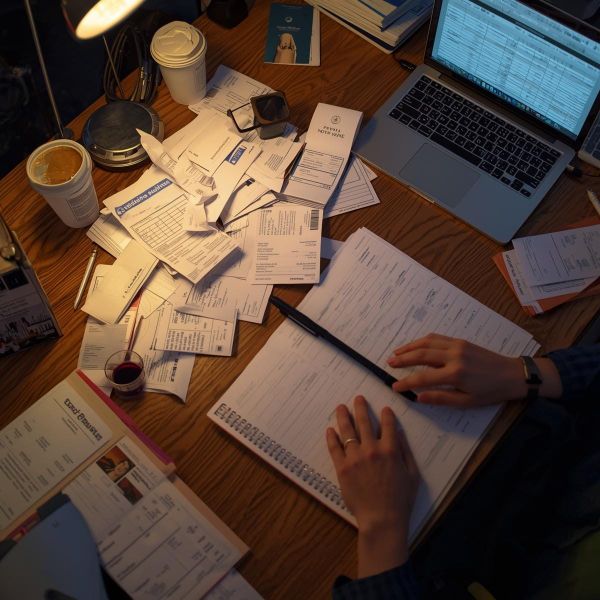
Here's what the typical workaround looks like for a planner who has outgrown spreadsheets but is trying to make QuickBooks work: - A spreadsheet for event budgets (because QuickBooks doesn't do this the right way) - QuickBooks for invoicing (but invoices built manually from the spreadsheet) - A separate tracker for vendor payment schedules (because QuickBooks doesn't tie these to budget line items) - Periodic reconciliation sessions to make sure the spreadsheet and QuickBooks agree - A lot of time spent maintaining three systems that should be one This is not a failure of the planner. It's a mismatch between the tool and the job. QuickBooks is a great product for what it was built to do. It just wasn't built for this.
Where QuickBooks Belongs in Your Stack
None of this means you should abandon QuickBooks entirely — especially if your accountant uses it and your business has grown to the point where serious bookkeeping matters. What it means is that QuickBooks works best as your bookkeeping tool, not your operations tool. Your event budgets, vendor management, invoicing, and tax calculations should live in a system built around how events actually work. That system can sync with QuickBooks (and some do, bidirectionally) so your accountant gets the records they need without you having to double-enter everything. That separation of concerns — purpose-built event finance operations, connected to serious accounting software — is how the most organized event companies run their finances. It stops the compromise and puts each tool where it belongs. In the next post, we're going to get a little personal. The lessons that take years to learn in this business — the financial mistakes that cost real money, the things nobody puts in the job description — are worth sharing.
Next up: What I Wish Someone Had Told Me in Year One →
Event Revenue Pro was built to solve exactly this — a purpose-built financial platform for event planners, DMCs, and event agencies. Learn more →